💰 GST Calculator
Result
Net Amount:
GST Amount:
Total Amount:
GST Calculator: Simplifying Tax for Students and Shoppers
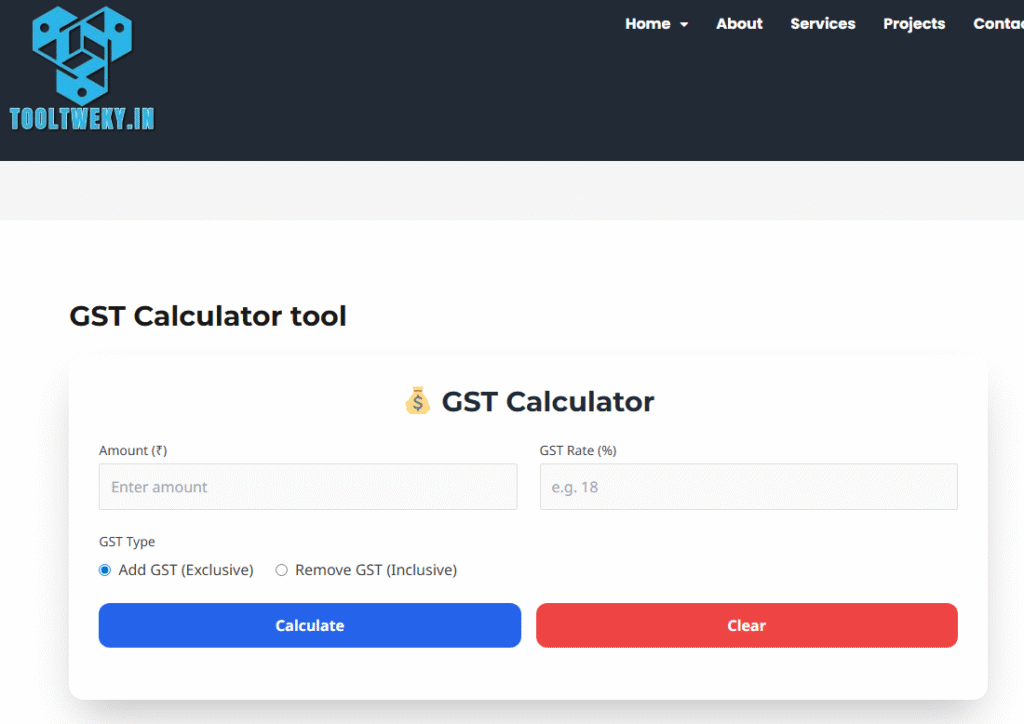
Have you ever looked at a price tag in a store or online and seen “+GST” or noticed that the final amount at the checkout is higher than the listed price? This extra charge is the Goods and Services Tax (GST), a value-added tax levied on most goods and services sold for domestic consumption. Calculating this tax manually can be confusing, especially when you’re trying to budget your money. A GST Calculator is a simple, free online tool designed to take the hassle out of this math. It instantly computes the tax amount and the total price you need to pay, making financial planning transparent and straightforward for everyone, especially students managing their expenses.
Using a GST calculator is incredibly easy and requires only basic information. Typically, you need to choose the calculation type: either adding GST to a net amount or subtracting it from a gross amount. Then, you enter the original price of the product or service. Finally, you input the applicable GST rate (like 5%, 12%, 18%, or 28%, as per the product category in India). With a click of the “Calculate” button, the tool instantly displays the precise GST amount and the total inclusive price.
Understanding how to calculate GST is a vital practical skill. For students, it’s not just about academic knowledge from an economics textbook; it’s about real-world application. Whether you’re shopping for a new laptop, eating at a restaurant, or understanding a bill, knowing how much tax you’re paying empowers you to be a informed consumer. Furthermore, for young entrepreneurs starting a small business or a project, this tool is indispensable for creating accurate invoices, pricing products correctly, and understanding their tax liabilities.
Questions & Answers (Q&A)
Q: What does GST stand for?
A: GST stands for Goods and Services Tax. It is a comprehensive, multi-stage, destination-based tax levied on every value addition on goods and services.
Q: How do I calculate GST?
A: To add GST to a net price: Multiply the net price by the GST rate (e.g., 100 * 18% = ₹18 GST) and add it to the net price. A GST calculator automates this instantly.
Q: Is using an online GST calculator free?
A: Yes, absolutely. All online GST calculator tools are completely free to use. They are provided by financial websites, accounting software companies, and educational portals as a helpful utility.
Q: What is the difference between CGST, SGST, and IGST?
A: CGST (Central GST) and SGST (State GST) are levied on intra-state (within the same state) transactions. IGST (Integrated GST) is levied on inter-state (between different states) transactions. A good GST calculator often splits the total tax into these components.
Q: Can I use a GST calculator for reverse calculation?
A: Yes, most advanced GST calculators have a “Reverse GST” or “Remove GST” feature. This allows you to enter the total gross price (which includes tax) and find out what the original net price and the GST amount were. This is useful for understanding tax components on receipts.